Introduction to Planner5D
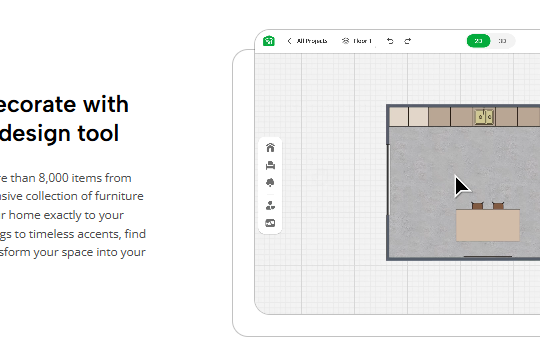
Designing your dream home can feel like a daunting task, especially if you’re starting from scratch. Where do you even begin? Enter Planner5D, an innovative tool that simplifies the whole process. With its user-friendly interface and powerful features, anyone can become a designer in no time. Whether you’re crafting a cozy nook or an expansive living space, this platform has everything you need to bring your vision to life. Ready to unlock your creative potential? Let’s dive into what makes Planner5D the perfect companion for aspiring designers!
Tips for Creating a Functional and Aesthetically Pleasing Design
Start with a clear vision. Imagine how each room will function. Consider daily activities and flow.
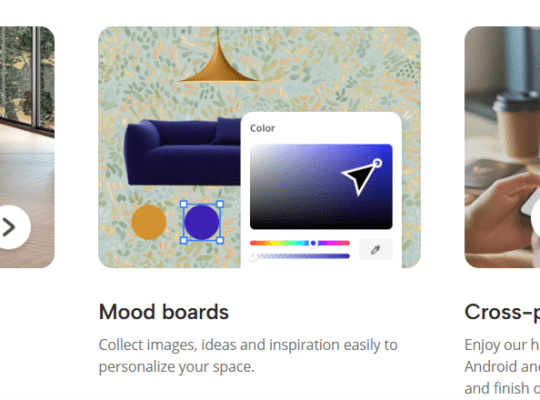
Choose a cohesive color palette that reflects your style. Soft hues can create tranquility, while bold colors add energy.
Mix textures for depth and interest. Pair smooth surfaces with woven fabrics or natural materials like wood and stone.
Prioritize furniture arrangement for both aesthetics and utility. Ensure pathways are clear to avoid cluttered spaces.
Incorporate lighting thoughtfully. Use layers—ambient, task, and accent—to enhance the mood of each area.
Add personal touches through art or decor that speaks to you. This makes the space feel uniquely yours without overwhelming the design’s harmony.
Remember scale; oversized pieces can dwarf a small room while tiny items may get lost in larger spaces. Aim for balance throughout your home for an inviting atmosphere.
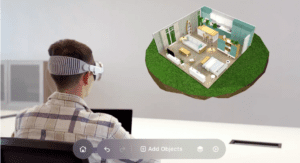
Collaborating with Others on Your Design Project
Collaboration can elevate your design project to new heights. Working with others brings fresh perspectives and ideas that you might not have considered.
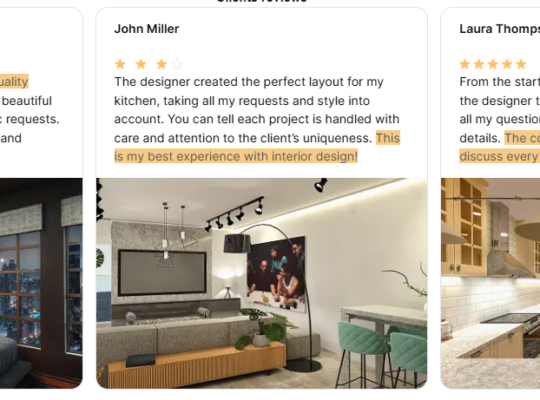
Use Planner5D’s sharing features to invite family, friends, or professionals into your space. They can contribute in real-time, adding their touch to the layout or color scheme.
Feedback is invaluable. Engaging with different opinions helps refine your vision. Be open to suggestions; sometimes the best designs come from unexpected sources.
Consider establishing roles within your team. Assign tasks based on individual strengths—someone may excel at spatial organization while another shines in choosing materials and decor.
Communication is key. Keep discussions clear and constructive for a smoother design process. Regular check-ins ensure everyone stays aligned with the project’s goals while fostering camaraderie among collaborators.
Bringing Your Design to Life with 3D Visualization
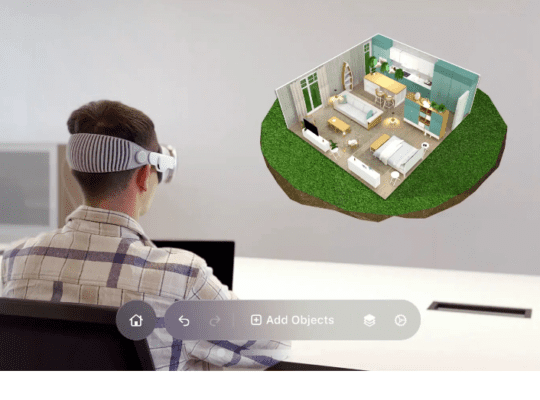
3D visualization transforms your design ideas into immersive experiences. With tools like Planner5D, you can see your space take shape in real time.
Imagine walking through a room before it’s built. Colors, textures, and layouts come alive on the screen. You can adjust lighting to see how it changes the mood of your spaces.
This feature allows for experimentation without any commitment. Want to swap out that sofa? Or try a different paint color? Easy adjustments let creativity flow freely.
Sharing these visuals with friends or family makes collaboration simple. Their feedback becomes more tangible when they can visualize your concepts alongside you.
Embrace this technology as a powerful ally in crafting your dream home. The possibilities become endless once you step into 3D designs—your imagination is truly the limit here.
Troubleshooting and Frequently Asked Questions
When diving into design with Planner5D, questions often arise. It’s perfectly normal to encounter challenges along the way.
Many users wonder about software compatibility. Ensure your device meets the minimum system requirements for optimal performance. A quick check can save a lot of frustration.
Another common issue is navigating the interface. Experimenting with different tools and features can help you become familiar faster. Don’t hesitate to explore tutorials available online; they’re incredibly useful.
If you face problems saving your project, ensure you’re connected to a stable internet connection. Sometimes, refreshing the page or restarting the app clears up glitches quickly.
Community forums are golden resources for troubleshooting advice. Engaging with other designers can provide insights that enhance your experience while using Planner5D. You’re not alone in this journey—there’s always someone willing to share their knowledge!

Conclusion: Transform
Transforming your living space into the home of your dreams is an exciting journey, and Planner5D is here to make it accessible for everyone. By utilizing its user-friendly features and intuitive design tools, you can easily bring your vision to life. Whether you’re creating a cozy nook or a spacious family room, this platform allows for endless creativity.
The tips provided throughout this guide emphasize both functionality and aesthetics, ensuring that every aspect of your design serves a purpose while looking stunning. Collaboration with others adds another layer of creativity; two (or more) minds often generate innovative ideas that elevate any project.
As you navigate through 3D visualization, you’ll get a clearer picture of how your designs will translate into reality. This step not only helps in perfecting details but also inspires adjustments before committing fully to any choices.
Should challenges arise during the process—whether technical issues or creative blocks—the frequently asked questions section offers valuable insights and solutions.
Embrace the opportunity to craft spaces tailored just for you using Planner5D. Let each design choice reflect who you are and what makes you feel at home, transforming any ordinary area into something extraordinary.